 Everything DiSC



The Snipping Tool is a handy little utility application integrated into Windows that provides users with significant screen-capturing capabilities.
Let’s review how to use it and how it can prove valuable to your business.

The Snipping Tool is a handy little utility application integrated into Windows that provides users with significant screen-capturing capabilities.
Let’s review how to use it and how it can prove valuable to your business.

It’s no secret that Google Chrome is one of the most popular web browsers in the world, if not the most popular. Still, most people don’t use the browser to its full potential, and they leave so many wasted opportunities to save time and resources on the table. Today, we want to highlight some of these tips, but also a couple of features that perhaps you didn’t know existed for Google Chrome so you can continue to get more value out of it as a business and productivity tool.
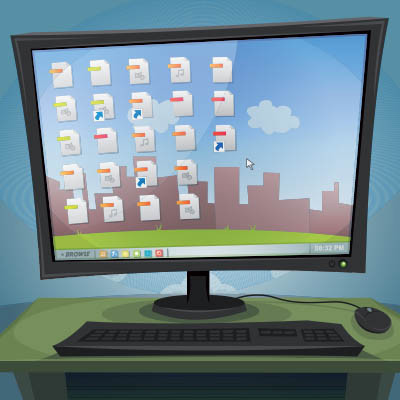
Windows 11 takes a page out of Apple’s design playbook and features a taskbar that, instead of being off to the side, is smack in the middle of the toolbar. While some may like this change, others may not.
Fortunately for these others, a simple setting change can return the taskbar to its familiar place like on older versions of Windows.

Websites also make excellent use of keyboard shortcuts you use every day to improve your productivity. YouTube is an excellent source of entertainment and education, so today, we want to help you get more value out of it with keyboard shortcuts. Here are some of the best that you should know.

At the beginning of this year, a massive data breach struck a location data broker called Gravy Analytics and took possession of a dataset with 30 million points from devices worldwide. This data could potentially be used to track individuals and their movements, tellingly, through healthcare, government, and military facilities.
Unfortunately, nothing can be done about data that has already been breached, but preventative steps can and should be taken to protect your business. Let’s discuss how to prevent your applications from tracking your movements.

If you want more productivity from the workday, then multiple monitors can help you achieve this goal. You might run into the issue of “ghost monitors,” though, where your PC believes you are connected to screens when you’re not. If you experience this issue and your application windows are off-screen and unobtainable, you’ll find this week’s tip helpful.
Your Android device offers a lot of capabilities in its little frame, with many people relying on theirs to keep their lives organized and generally handled. Many businesses even rely on Android mobile devices. This should only reinforce how critical privacy and security are.
In light of this, we’ve shared a few simple tips anyone can do to help make a smartphone that much more secure.
One of the most common file types you hear about is the Portable Document Format file - although you probably know it simply as a PDF. PDFs are so well known because they are the best way to save a document so that, regardless of the device it is viewed on, the file will always appear the same. Did you know that you can do more than just look at a PDF? Here, we’re providing some tips on how you can make your PDFs work for you.

Quick - when was the last time your routers were updated? Not sure? How about your servers, or every other piece of technology in your office?
The truth is, maintaining a business’ IT requires more than just running a virus scan every once and a while, or updating a mission-critical program on each workstation. It requires an in-depth understanding of each component and its history, assisted by the use of specialized tools and extensive record-keeping.

Personal information is precious, especially in this increasingly digital day and age. This makes it incredibly important that you are doing everything you can to protect it in your business - whether it is your own or belongs to somebody else. Here, we’ll go over a few tips to help you better protect the data you’re responsible for.

While there aren’t many reasons that you would want to restore your existing Android applications, the ones that do factor in are pretty compelling. Here, we’ll take you through the process of doing just that.

The people that support a business’ information systems are widely renowned as a bunch of nerds sitting in a basement office waiting for someone that matters calls them upstairs. Now, we think this characterization is unfair (of course), but since our jobs are so technical, it can be hard to relate with clients all the time. Fortunately for us, the most useful tool we have in our repertoire is excruciatingly simple. To fix your computer problem, have you tried turning it off, and turning it back on?

Slow Internet may be a nuisance in any case, but it has a particularly negative impact on the workplace. Technology should improve your operational efficiency, but if your solutions depend on a connection to the Internet, any issue there can effectively bring your productivity to a halt. In light of this, we wanted to go over a few of the most common issues that might be slowing down your connection, and perhaps tip you off to the problem.

Keyboard shortcuts have long been used to move things along faster. In 1994, just about the time that Windows 95 was released, Microsoft produced the new keyboard layout that incorporated the brand-pnew Windows key (or Win Key). When pressed, the Windows Key would immediately open the start menu, which debuted in the software.

The Google Play Store has a massive selection of applications available for users to download. Unfortunately, just because they’re available to be downloaded, doesn’t necessarily mean that they should be downloaded. In fact, many of these apps should be avoided. For this week’s tip, we’ll go over a few categories of application that you shouldn’t download in the first place.

The modern smartphone has a lot of computing power. It has enough to be a dynamic tool for today’s workers. It can also be a major distraction. Today, we are going to share a couple tips that will help you be more productive with your smartphone.

Google may know a lot, but believe it or not, it doesn’t know everything. For instance, you may be trying to write up a document in Google Docs that Google doesn’t recognize. Maybe it’s one of your services that you’ve created a name for, or even the name of your business. The problem is that Google likes changing words it deems “wrong”. For this week’s tip, we’ll go over how to stop it from changing words you meant to use.

There is no denying that a business’ security--notably, its access control--is absolutely crucial to consider. Here, we’re offering a few tips to help you improve your business’ security through improvements to your access controls and their policies.

Thanks to the coronavirus, many office workers are working from home to avoid the spread of the virus. For many, this can feel like a nice change of scenery, while others might have a tinge of additional anxiety from it. Regardless of where you stand, working remotely can be both effective and productive, if done right.

Windows 10 has been out for almost five years. Now I ask you, have you ever used the Windows 10 Action Center? If the answer is yes, good for you. If the answer is no, it is time to talk about the almost hidden part of Windows 10, and tell you how you can use it to your advantage.